개발일기
유니티#1 animator 본문
Animation, Animator (Animation Controller)
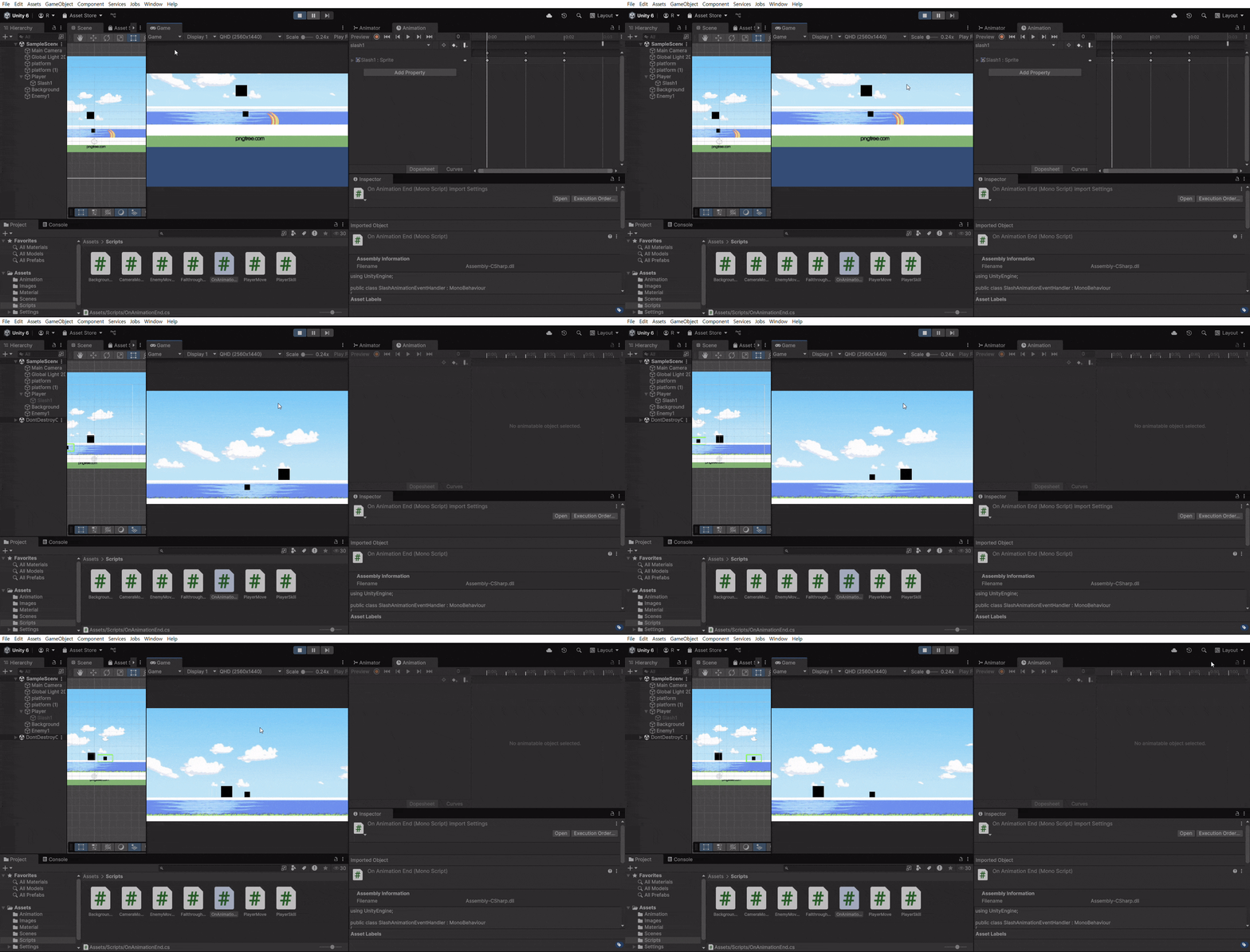
Animation 탭의 타임라인에서 Animation Event를 추가해서 특정 함수를 실행 시킬 수 있다
Slash1 오브젝트는 Player 오브젝트의 자식 오브젝트라 함수를 직접 참조할 수 없기에
OnAnimationEvent 스크립트를 만들어 땡겨와 사용했
었는데 생각해보니 그럴 필요가 없어서 그냥 함수 넣고 참조해줬다
//PlayerSkill.cs
using UnityEngine;

public class PlayerSkill : MonoBehaviour //Player 오브젝트 연결
{
    public Vector2 size;  // 반경
    public float forceMagnitude = 10f; // 가할 힘의 크기
    private GameObject slash1;
    private PlayerMove playerMove;
    private Animator slashAnimator;
    // Start is called once before the first execution of Update after the MonoBehaviour is created
    void Start()
    {
        playerMove = GetComponent<PlayerMove>();
        size=new Vector2 (2,1);
        Transform slash1Transform=transform.Find("Slash1");
        if (slash1Transform != null) {
            slash1 = slash1Transform.gameObject;
            slashAnimator = slash1.GetComponent<Animator>();
            if (slashAnimator == null) Debug.LogError("Animator not found on Slash1!");
        } else {Debug.LogError("Slash1 object not found!");}
    }

    // Update is called once per frame
    void Update()
    {
        if (Input.GetKeyDown(KeyCode.F)) {
            Debug.Log("Skill triggered!");
            // Collider2D[] colliders = Physics2D.OverlapBoxAll(transform.position, size, 0);
            // Debug.Log($"Detected Colliders: {colliders.Length}");
            // foreach (Collider2D collider in colliders) {
            //     if (collider.CompareTag("Enemy"))
            //     {
            //         Debug.Log($"Enemy object found: {collider.name}");
            //         Rigidbody2D rb = collider.GetComponent<Rigidbody2D>();
            //         if (rb != null)
            //         {
            //             Debug.Log($"Applying force to: {collider.name}");
            //             rb.AddForce(new Vector3(0, 1, 0) * forceMagnitude, ForceMode2D.Impulse);
            //         }
            //         else
            //         {
            //             Debug.Log($"No Rigidbody on: {collider.name}");
            //         }
            //     }
            // }
            bool direction = playerMove.direction;
            if (playerMove != null && slash1 != null && slashAnimator != null)
            {
                // Transform 조작 예시
                slash1.transform.localScale = new Vector3((direction?8:-8), 8, 1); // 크기 조정
                // slash1.transform.Rotate(0, 0, 45); // Z축으로 회전
                slash1.transform.position = transform.position + new Vector3(1*(direction?1:-1), 0, 0); // 위치 이동
                slash1.SetActive(true);
                if (slashAnimator != null){slashAnimator.SetTrigger("PlaySlash");}
                else{Debug.LogError("slashAnimator is null!");}
            }
        }
    }

    private void OnDrawGizmos()
    {
        // 감지 범위를 시각적으로 표시
        Gizmos.color = Color.green;
        Gizmos.DrawWireCube(transform.position, size);
    }

}
//SlashAnimationEnd.cs
using UnityEngine;
public class SlashAnimationEnd : MonoBehaviour //Slash1 오브젝트 연결
{
void Start()
{
}
// 애니메이션 이벤트에서 호출할 함수
public void OnAnimationEnd()
{
gameObject.SetActive(false); // 가시성 끄기
}
}
이제 난 Animation이 두렵지 않다
오라 스프라이트여
추가로 할 일
- Enemy HP 구현
- 스킬 스크립트 모듈화
- 스킬 오브젝트 생성/제거 구현
mp4 파일은 보이지가 않으니까 gif로 변환해주는 프로그램을 하나 만들어 써야겠다
좋은 스프라이트 사이트를 하나 찾았다
'Unity' 카테고리의 다른 글
| 유니티#6 ScriptableObject (0) | 2024.12.26 |
|---|---|
| 유니티#5 private 변수 참조 (0) | 2024.12.26 |
| 유니티#4 스크립트 정리 (2) | 2024.12.26 |
| 유니티#3 early return, 모듈화 초입 (4) | 2024.12.25 |
| 유니티#2 prefap (0) | 2024.12.23 |
'Unity' Related Articles
more
